Sell shipping labels under your own brand, from the main European carriers.
Play with it first. Nothing here is real.
Last time we explained the wholesale API with curl. This time we put a complete reseller shop online in demo mode and walk you through both sides of it: the shop your customers use, and the panel where you earn. Register with made-up details, quote a route, buy a label, watch it move, top up, open a ticket. No label is generated, no money moves, and your sandbox is wiped 2 hours after you leave.
Tor entrance: demo4aykq5w7j6wuluvkjp4k3zticvgsyxmymhyivydxmw6zdyarh5ad.onion
panel.demo4aykq5w7j6wuluvkjp4k3zticvgsyxmymhyivydxmw6zdyarh5ad.onion
Log in with demo / demo or make up an account. Nothing here is real, and it resets every 2 hours.
How it fits together
Three parties, and it helps to keep them apart while you read:
Your customers
People who ship. They sign up on your shop, top up a balance, quote a route and buy labels. They see your brand and nothing else. This is the side the demo lets you play with.
You, the reseller
You bring the audience and set the markup. From your NullShip panel you watch sales, get alerts, answer support and cash out your margin. The demo includes this panel too: enter as the reseller and you get a shop that already has customers and sales.
NullShip
Behind both. Carriers, live rates, label generation, tracking, refunds and payouts. Your customers never see us.
Why you would want one
A storefront is only worth your time if the numbers work. These are the ones we can stand behind:
Up to 44% cheaper, same carrier
We ran six European routes through the best-known anonymous label site and through NullShip, with the same parcel and the same carrier. On four of them we are cheaper, up to 44% on Madrid to Rome. The two where they beat us are published too. See the comparison →
Room for your margin
You buy at the same price NullShip's own customers pay, the one the comparison above was run with. Add your markup and on Madrid to Paris or Madrid to Rome your customer still pays less than at the best-known site, even at the top of the band.
Autopilot after the first push
Your job is to get people to sign up and use your store. Once they do, every label they buy books your margin without you touching anything: rates, labels, payments, tracking, refunds and the carriers are all handled behind the storefront.
Recurring, not one-off
Someone who ships, ships every week. A customer you win is not a single sale like a television; they come back with the next parcel, and the next. Each one is a steady line of income for as long as they keep shipping.
Your only costs: a server and a domain
A small VPS at 4 to 8 € a month and a domain at 10 to 20 € a year. That is the whole overhead: no fee to us, no monthly plan, no minimum volume. The labels are paid for by your customers, from the balance they top up.
We set it up for you
The storefront, the Telegram bot and the server configuration are ready before you start; you bring the domain and the audience. If you want to pay for hosting in crypto, we can point you to providers that take it.
Your customers stay yours
They sign up on your domain, under your brand, and deal with you. Your margin accrues in a cycle: when it reaches 250 € it pays out on its own in BTC, LTC or XMR, and before that you cash out whenever you like, even every day, with no minimum amount. Or credit it to a NullShip balance instead. No invoices, no bank account, no paperwork.
The hard part is ours
Carriers, rates, label generation, tracking. When a label fails, your customer is refunded automatically and you are told. When a ticket is technical, you escalate it to us and we answer.
Part 1 · Your customers' side
This is what the demo is: the shop, exactly as a customer of yours would use it.
The shop at a glance
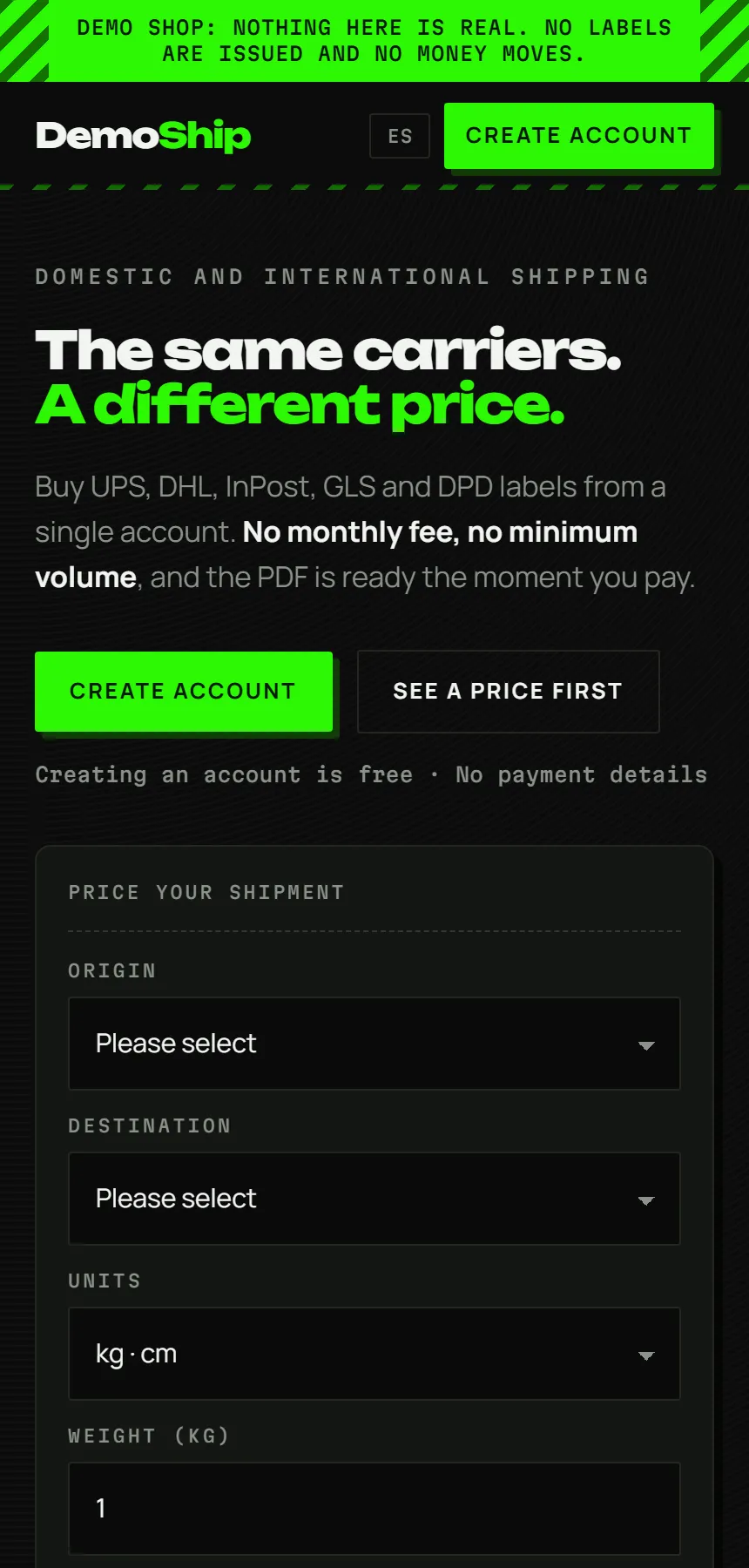
Every reseller on the wholesale API can run this exact app under their own brand: name, colours, domain and Telegram bot are theirs. Their customers sign up there, top up in crypto or by bank transfer, quote a route and buy a label. The reseller sets the markup and keeps the margin; we take care of UPS, DHL, DPD, GLS, InPost, Correos, Poste Italiane and the rest behind the scenes.
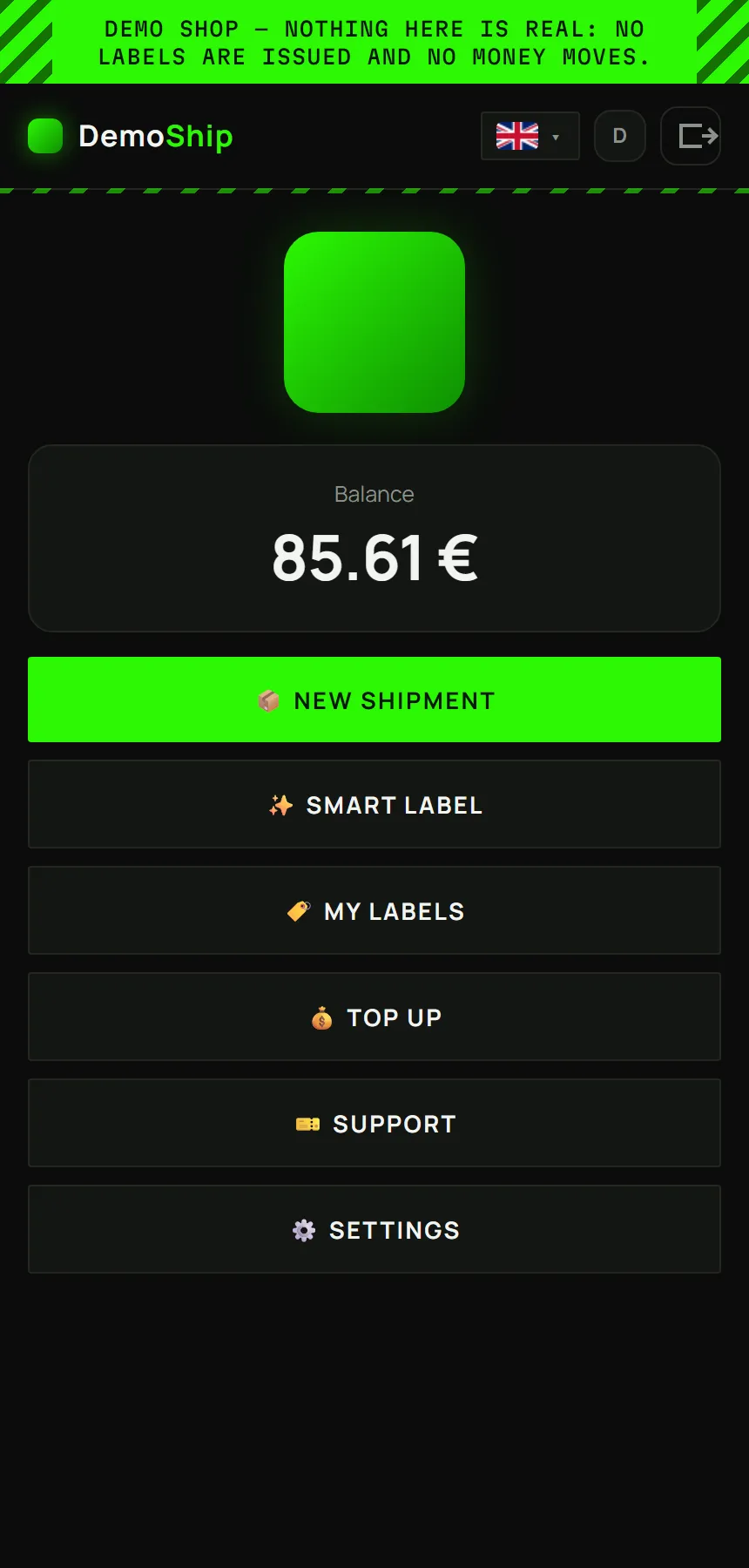
DemoShip is that storefront with one piece swapped out: instead of talking to NullShip, it talks to a sandbox that lives in memory and belongs to you alone. Same screens, same flow, same texts. Different numbers.
Ten minutes, step by step
There is nothing to install and nothing to request. Open the link, pick the customer side, then:
-
Make up an accountAny username and password will do. Nothing is checked, nothing is sent anywhere, and the account lives 2 hours.
-
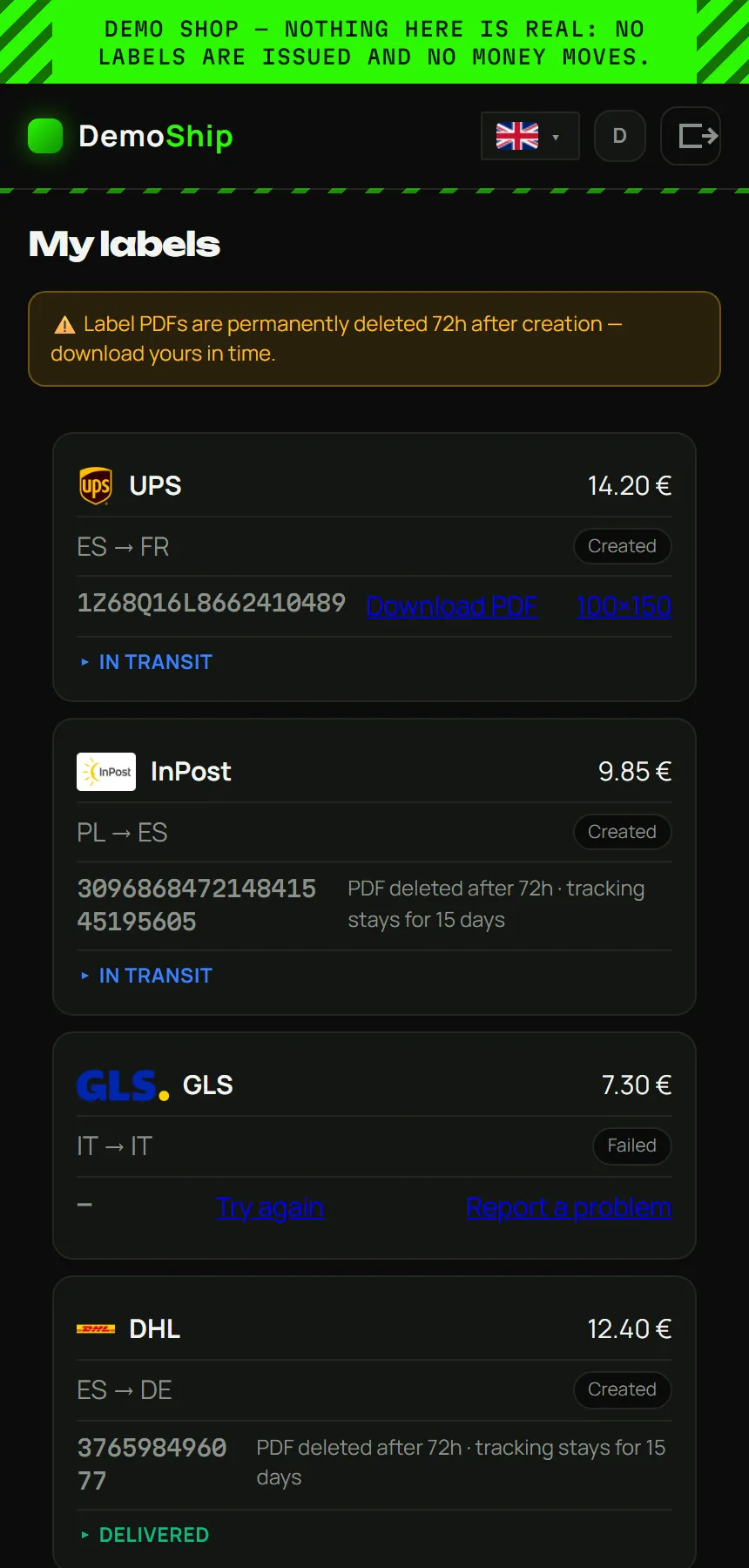
Look aroundYour account arrives with history: a balance, a few shipments in different states, a movements ledger and a message from support. That is what a customer with a few months behind them sees.
-
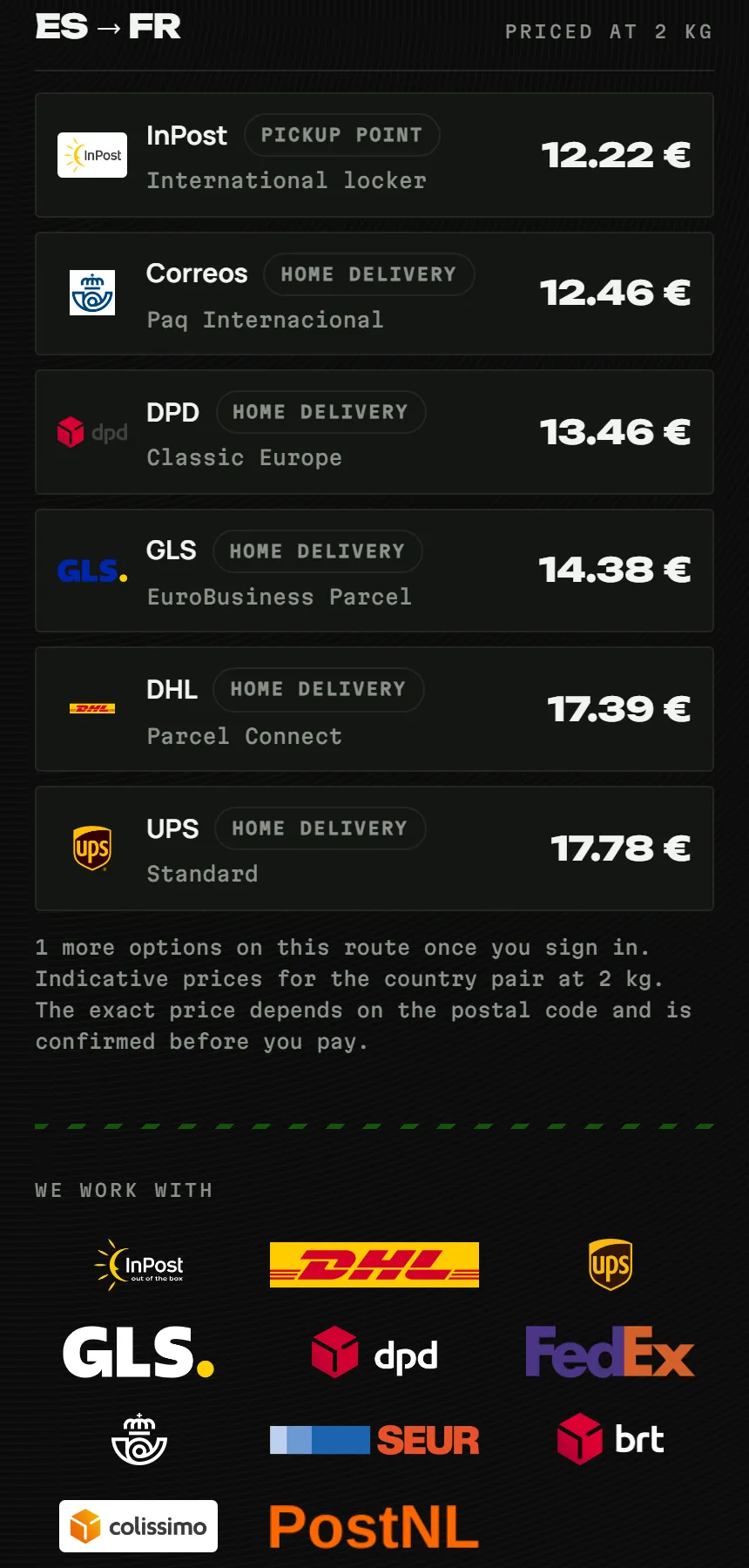
Quote a routePick origin and destination, weight and size. The list shows real carrier names with plausible prices and delivery estimates, generated for the demo. On a real storefront the same list carries live wholesale rates plus the reseller's markup.
-
Buy a labelFill in sender and recipient and pay from the demo balance. A PDF stamped DEMO appears with an invented tracking number. No carrier ever hears about it.
-
Watch it moveThe tracking advances on its own over the following minutes: collected, in transit, out for delivery, delivered. It is the same timeline a real customer follows.
-
Top upChoose crypto or bank transfer. The demo confirms the payment by itself after about thirty seconds. Then try the prepaid code DEMO50: on a real storefront that is how a reseller hands a customer credit.
-
Open a ticketWrite anything. The demo answers on its own, so you can see the support channel a reseller and their customers share.
-
Save senders and switch languageThe address book, the settings screen and the language menu all work. Everything you change stays inside your sandbox.
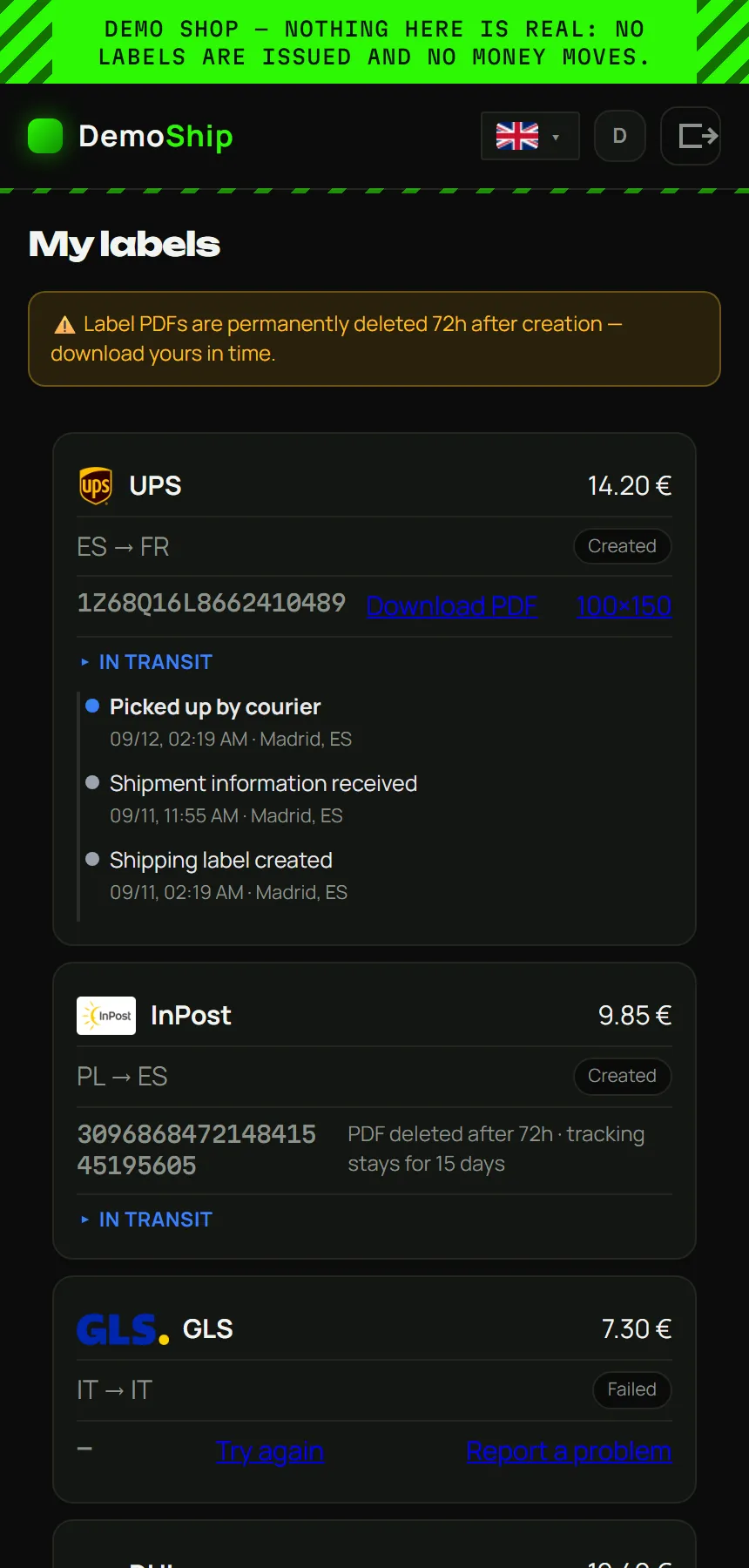
Two visitors never see each other's data. Your sandbox is yours alone and is wiped 2 hours after your last visit; a new account starts clean.
Tor entrance: demo4aykq5w7j6wuluvkjp4k3zticvgsyxmymhyivydxmw6zdyarh5ad.onion
Demo versus real
| In the demo | On a real storefront | |
|---|---|---|
| Rates | Generated to look right | Live wholesale rates plus the reseller's markup |
| Labels | PDF stamped DEMO, invented tracking number | The carrier's real label |
| Tracking | Advances by itself in minutes | The carrier's real events |
| Top-ups | Confirm themselves | Real crypto or bank transfer |
| Your data | Wiped after 2 hours | Kept for as long as the customer wants |
| Account settings | Password, 2FA, deletion and Telegram switched off | All available |
A note on privacy
The demo has two doors: a .onion address for Tor Browser and a clear-web HTTPS address for everyone else. It runs no analytics and asks for nothing real: use invented details. The app screens need JavaScript, so in Tor Browser use the Standard or Safer level rather than Safest.
Part 2 · Your side
Also in the demo: enter as the reseller and this is what you get, with customers, sales and earnings already in it. It resets every two hours.
Your panel, window by window
The customer only ever sees the storefront. You run everything from your NullShip panel, in the browser, with no JavaScript required.
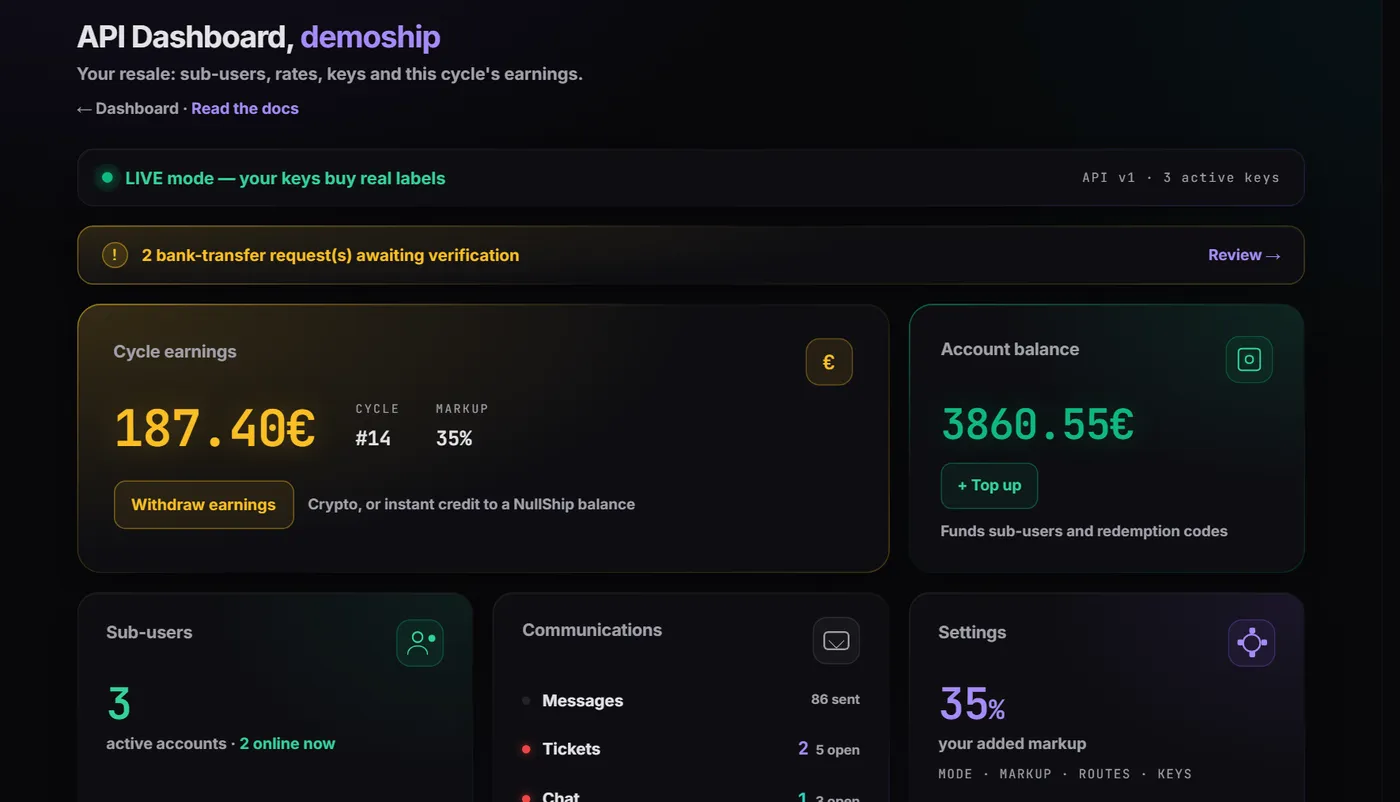
Tor entrance: panel.demo4aykq5w7j6wuluvkjp4k3zticvgsyxmymhyivydxmw6zdyarh5ad.onion
The bar at the top of the demo switches you between the reseller view and the customer view.
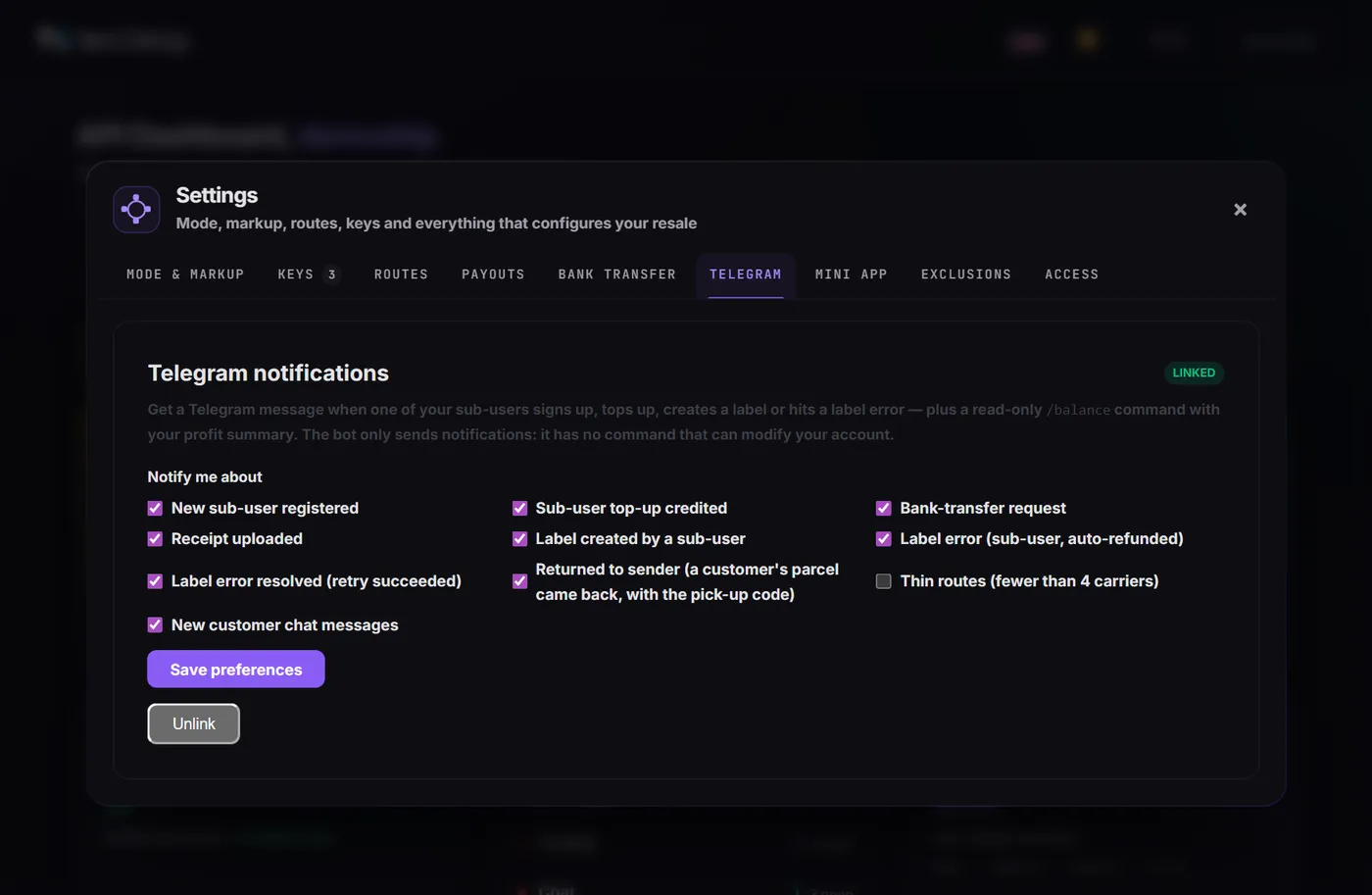
Alerts on your own private Telegram
- Link a chat with a one-time code and pick what reaches you: a new customer, a top-up, a bank transfer, a label created with its margin, a failed label refunded, a parcel returned, a chat message.
- The bot only pushes and never changes anything. /balance answers with the profit of the current cycle.
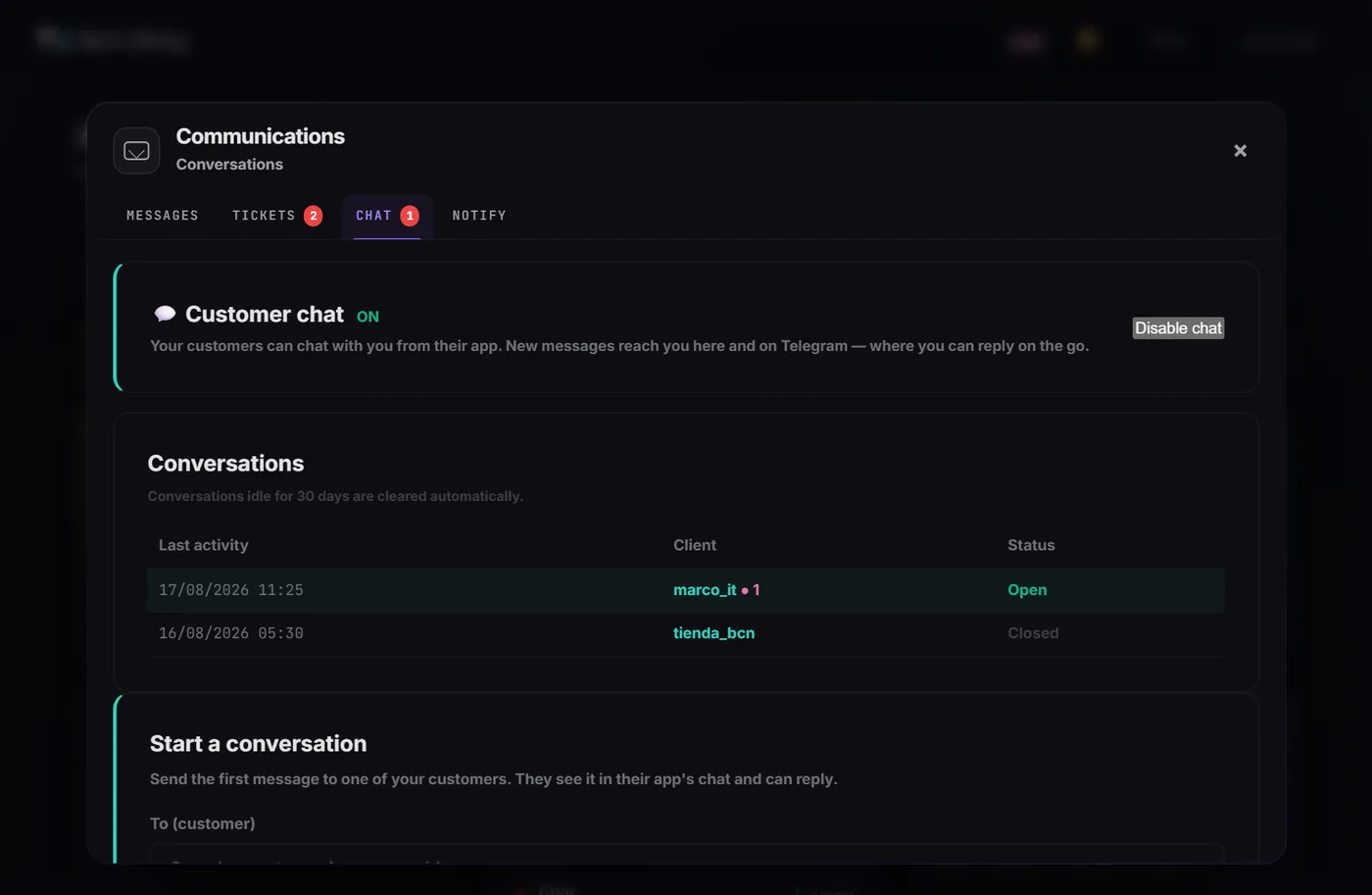
Everything your customers say, in one window
- Support messages that pop up in their app with a read receipt, two-way tickets you can escalate to NullShip, and a live chat you answer from the panel or straight from Telegram.
- One message to every client of your bot at once when you have something to announce.
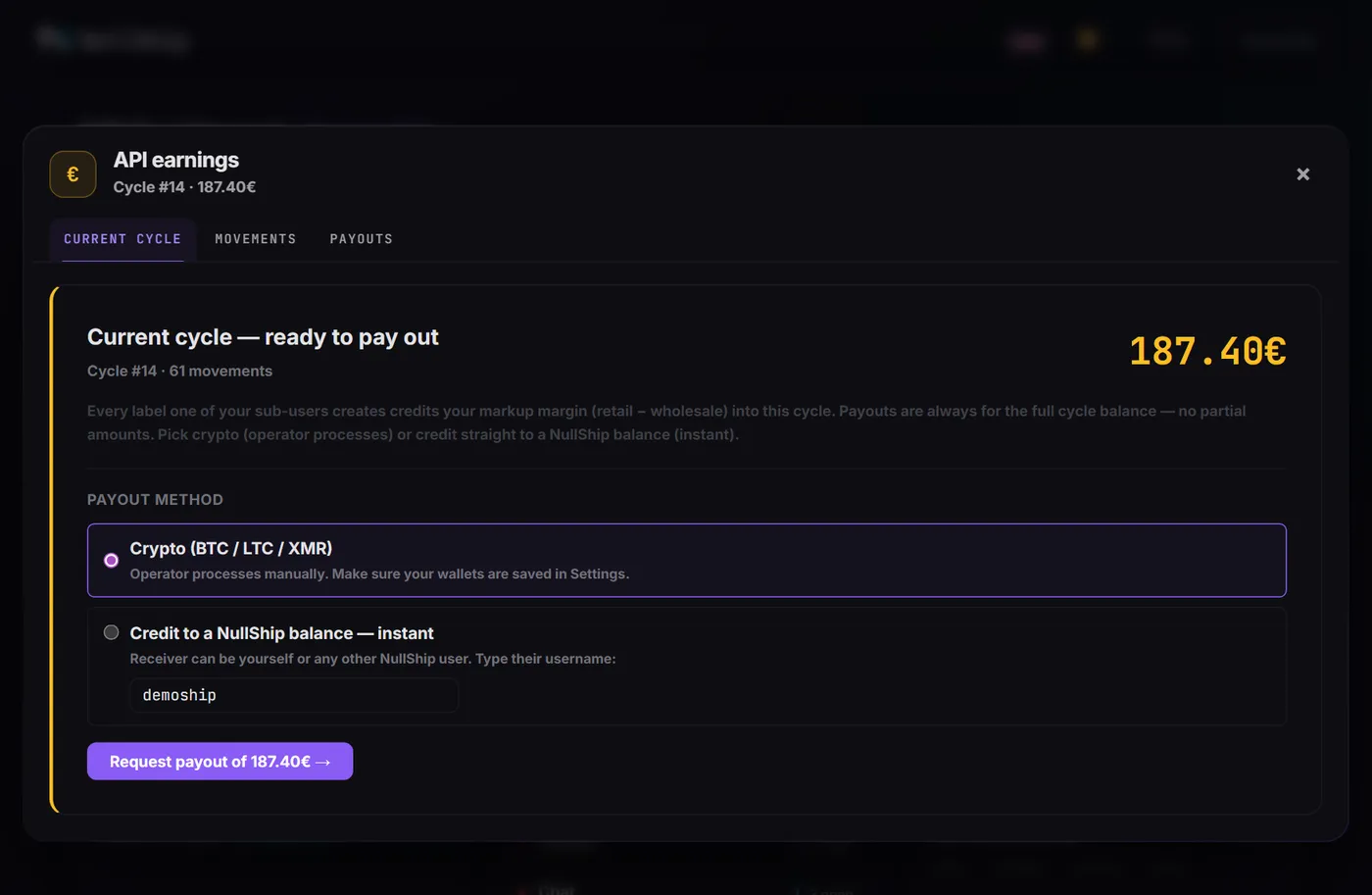
Earnings and payouts
- Every sale itemised: wholesale, your markup, what the customer paid. Cash out whenever you like with no minimum, in BTC, LTC or XMR or as instant credit to any NullShip balance; at 250 € the cycle pays out by itself.
- A refund fund to credit a customer on the spot when a payment gets stuck.
Your commission
Markup between 25% and 50%, per-route prices, customers who ship at cost, and a ceiling table with no surprises.
Customers
Who is online, balances and movements, signup tokens, prepaid codes, bulk shipping per customer and an access record of addresses and devices.
Settings
Your brand, sandbox and production keys, test or live mode, bank-transfer top-ups with a verification queue, and the Telegram mini app: paste your bot token once and the store picks it up, no redeploy.
If you want the technical side, the previous article walks through the API itself: rates, labels, sub-accounts, sandbox and production keys. Read the API article →
Part 3 · Getting your own
What it takes to go from the demo to a shop with your name on it.
Want one with your name on it?
Access to the wholesale API is invite-only, account by account. Open a NullShip account, send a ticket titled API access request telling us who your customers are and what you want to build, and make an initial top-up. If you would rather ask before opening an account, write to us from the contact page. We enable the API, hand you a sandbox key and a production key, and can set up a storefront like this one under your brand.
Frequently asked questions
Is anything in the demo real? +
Do I need an account or a key? +
Can I break something? +
Is the demo the real storefront? +
How do I get the real thing? +
See it for yourself
The storefront is open around the clock. Make up an account, buy a label that does not exist, and come back when you want one with your name on it.
Opens in a new tab. Use made-up details.
Tor entrance: demo4aykq5w7j6wuluvkjp4k3zticvgsyxmymhyivydxmw6zdyarh5ad.onion